+39 02 8718 8553 sales@tanaza.com

Microsoft Report on Small Business Computing


  Microsoft recently surveyed 3,000 small and medium sized businesses in 13 countries to find commonalities and reasons to why they are moving more towards cloud computing.  The study showed SMBs “believe in themselves”: 76% of the respondents agree small businesses are the backbone of the economy, more than half predict growth within the next 12-18 months, and 79% think new and better technology will make work more enjoyable.

(more…)

Pros and Cons of Cloud Computing


 So you’re a small business owner or maybe a system administrator and you are responsible for keeping tabs on all your data and information.  It is hard enough to trust a computer system to do so, but now everyone is moving to cloud computing—remotely storing their data on another system in another location.  While there are some negatives to this kind of technology, there are some pluses which may compel you to take your business to the next level.

(more…)

How Does the Cloud Work?


  You have probably heard a lot about something called “the cloud”.  You may have some understanding of it or a general definition.  But just in case, here is the breakdown of how cloud computing works.  You should also probably know now, it isn’t really a cloud—or all your information floating in cyberspace.

(more…)

A Brief History of Wi-Fi

history of wifi

These days, most every notebook computer and smartphone comes with Wi-Fi wireless networking technology built in and these devices can connect to Wi-Fi networks in offices, supermarkets, malls, airports … most everywhere.  People and organizations use Wi-Fi wireless networks for video chats, helping people work wherever they are, watch movies and television, and most anything else that requires high-speed Internet access.  And in the 15 years since the creation and commercialization of this wireless networking standard, it has given businesses a wide variety of new services they can offer customers.

  Prior to 1999, there were several different wireless technologies used to connect devices.  The different technologies were incompatible so the benefits were limited.  The development of an industry recognized technical standard (IEEE 802.11), along with an industry-wide alliance organization (the Wi-Fi Alliance), created a technology platform and business market the same way the development of Ethernet wired networking did in 1985.  Almost immediately following ratification of IEEE 802.11 and the founding of the Wi-Fi Alliance, every major networking company and computer hardware manufacturer developed and brought to market Wi-Fi products.

The first generation of Wi-Fi products (802.11b) have a maximum data rate of 11 Mbit/s and operate in the 2.4 GHz band.  They reached the market in 2000.  This is comparable to the speed most computers at the time were connected over wired networks.  Now, the most advanced of the 802.11 standards is 802.11n.  These devices, brought to market in 2009, have a maximum connect rate of 600 Mbit/s and are able to use both 2.4 GHz and 5 GHz bands.    Besides creating a common, compatible, interoperable standard, each new generation of products are compatible with previous generations.  According to research from the Dell’Oro Group, the market is growing from 20% to 40% per quarter thanks to standards and compatibility.

Just like most any other technology, Wi-Fi networking will become faster, more reliable, easier to use and less expensive.  Right now, a barber shop, for example, can offer wireless connectivity to its customers for less than a $100 investment and $10 per month recurring charges.  The benefit is that multiple points of sale and scheduling can be deployed in the store so customers to reduce the time customers wait and customers waiting for their appointment can fill their time.   It’s clear than a minimal investment in Wi-Fi today can offer high returns.

#  #  #

How to replace an access point without losing time to reconfigure a new one

How to replace an access point without losing time to reconfigure a new one

How to replace an access point without losing time to reconfigure a new one

 In Wi-Fi networks replacing a broken access point is always a pain, especially in small businesses. Usually, in fact, small businesses’ wireless networks are made by consumer level access points, which are not made with the purpose of being easily managed or replaced.


What typically happens when management or replacement takes place is that no one knows the configuration of the broken access point.  Furthermore, it is complex just to know or try to figure out, which IP to give the new access point you have just taken out of the box (to replace the old one).

Tanaza deployed a solution that should remove this problem.  The best part is that you don’t have to spend a large budget on it, like what is typically spent on enterprise-level centralized solutions offered by enterprise-level leading companies.

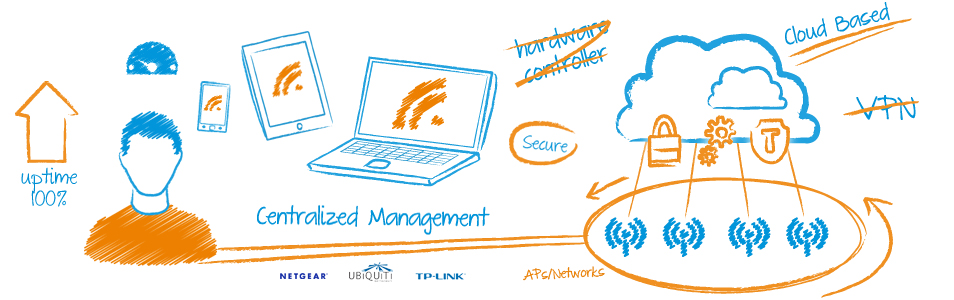
tanaza concept

Tanaza is a cloud-based Wi-Fi management software-as-a-service and allows you to control consumer level access points with centralized capabilities that are usually included only in enterprise-class solutions. With Tanaza you can know at any time the configuration and status of all of your wireless devices, add an access point to your network, and apply an existing configuration, such as the running SSIDs.

With Tanaza when you have to replace an old or broken access point it becomes just a matter of a couple of clicks; no headache(s), no-hassle(s).